
Use the Setup Guide
The Setup Guide gives you one place to move from account access to useful strategy review. Use each row to open the correct AlgoLedger area, finish the real task, then return and update the row.
Open the Setup Guide
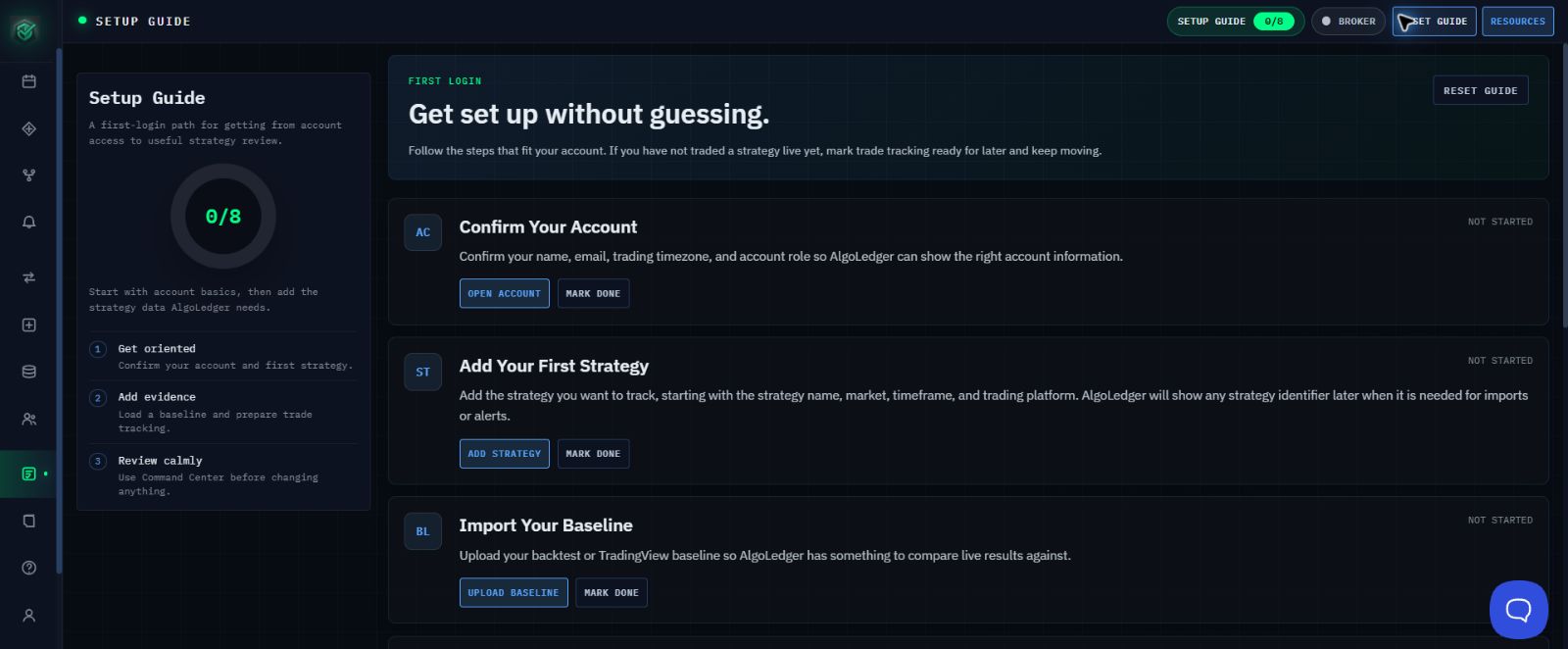
Figure 1. Setup Guide shows the progress count and the first setup rows.
- In the left navigation, select Setup Guide, or select the SETUP GUIDE progress badge at the top of the page.
- Review the progress count and all seven setup rows before starting.
Complete the Seven Rows
Complete each row in order. Select MARK DONE only after the real task is complete.
- Confirm Your Account: select OPEN ACCOUNT, confirm your name, email, trading timezone, and account role, then return and select MARK DONE.
- Add Your First Strategy: select ADD STRATEGY, complete and save the strategy, then return and select MARK DONE.
- Import Your Baseline: select UPLOAD BASELINE, upload and verify the baseline, then return and select MARK DONE.
- Set Up Live Trade Tracking: select SET UP TRADE SOURCE, use READ HELP ARTICLE if needed, then select MARK DONE. Select DO LATER only if you have not traded a strategy live yet.
- Set Up Alert Routing: select SET UP ALERTS, use READ HELP ARTICLE if needed, then select MARK DONE. Select DO LATER only if you are importing trades manually for now.
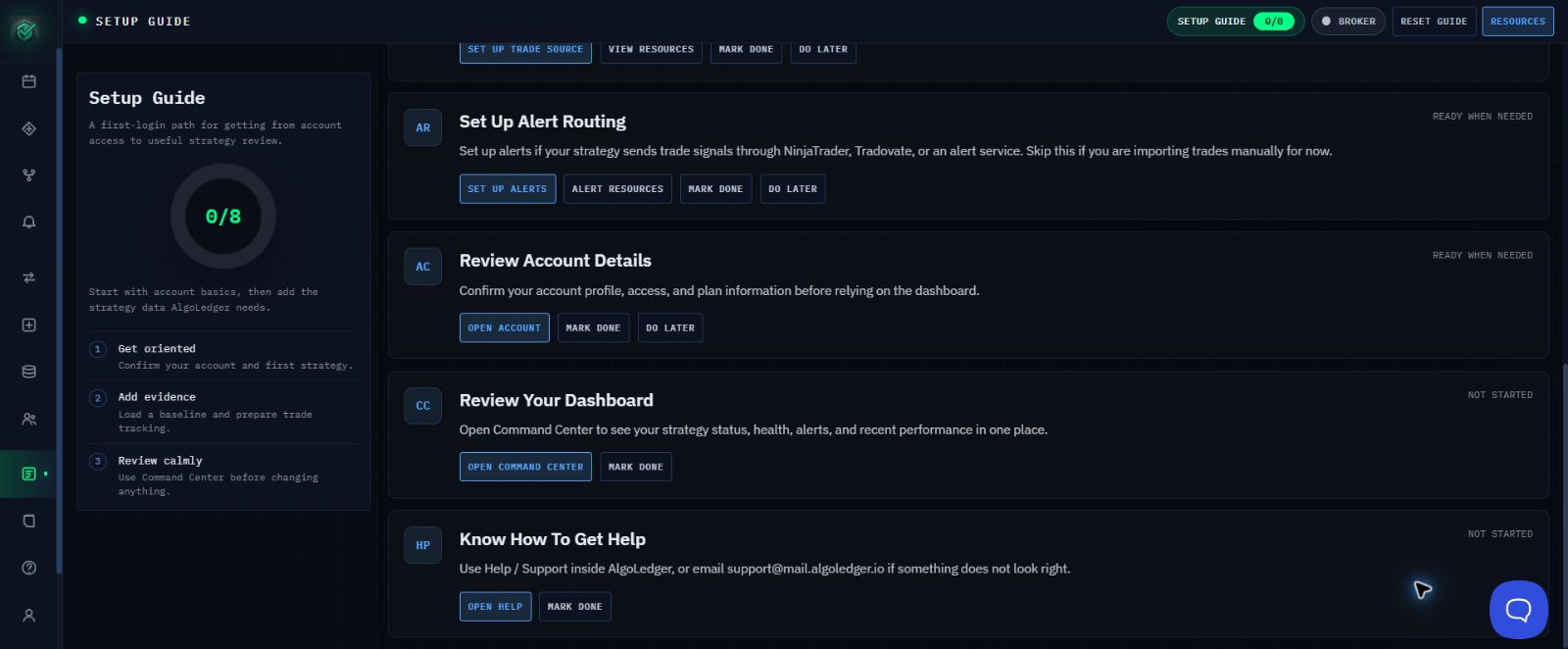
Figure 2. The lower Setup Guide rows provide exact actions for alerts, Command Center, and Help.
- Review Your Dashboard: select OPEN COMMAND CENTER, review strategy status, health, alerts, and recent performance, then return and select MARK DONE.
- Know How To Get Help: select OPEN HELP, confirm that you can reach Help and Support, then return and select MARK DONE.
Success
The guide is complete when every row reflects your current setup and the progress badge no longer shows unfinished rows. A row marked DO LATER remains something to revisit when that feature becomes relevant.
If Progress Does Not Match
Refresh once, reopen Setup Guide, and check the affected row. Do not repeatedly select MARK DONE. If the progress count still does not match, contact Support with the row name, the progress count, and the exact visible message. Do not send a password, authentication code, or private credential.
Need Help?
Contact support@mail.algoledger.io. We will help you identify the next useful row and correct a progress mismatch without asking for secrets.