
Get Help with Billing, Plans, or Paid Algo Access
Use Billing to check your current plan, manage an existing subscription, or request help with paid Algo access.
Before You Start
Account type and subscription plan are different. A plan shown in the selector is a possible target plan, not proof of your current subscription.
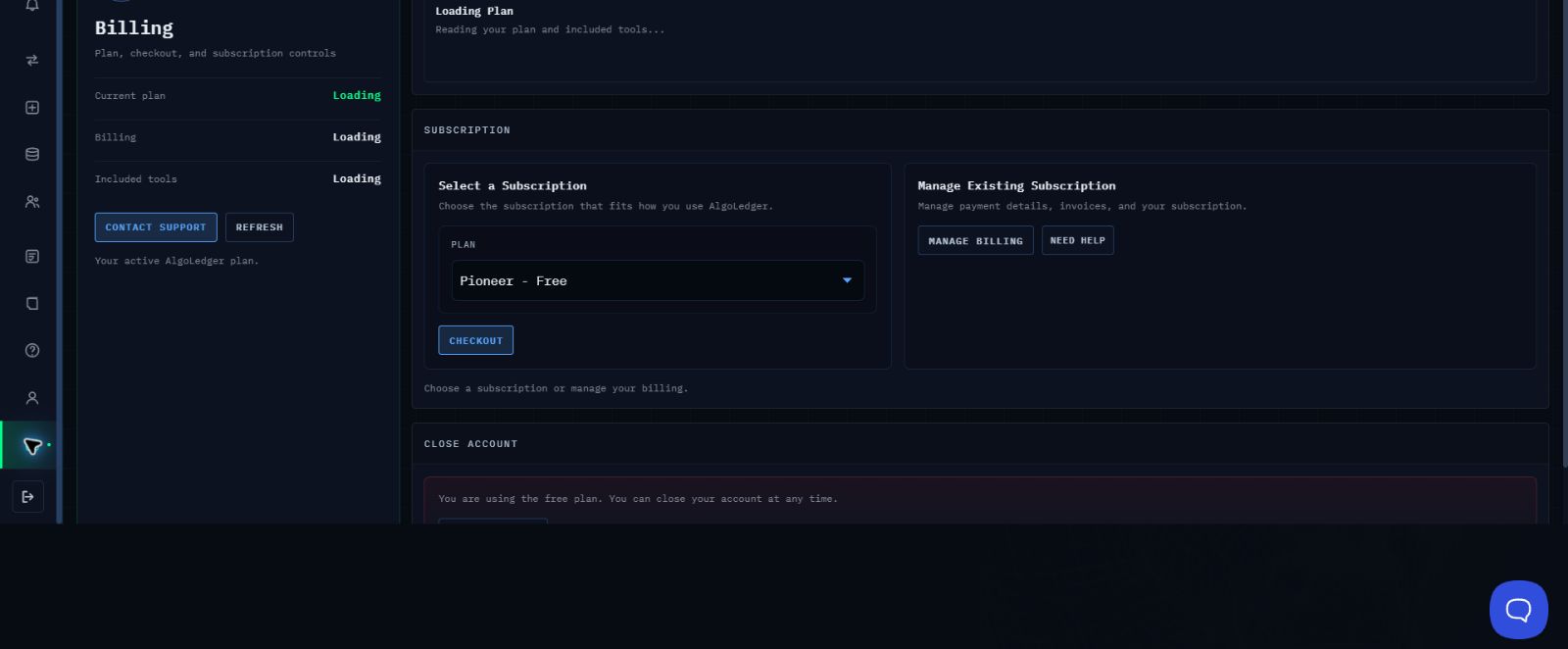
Figure 1. Billing shows Current plan, CONTACT SUPPORT, REFRESH, the plan selector, CHECKOUT, MANAGE BILLING, and NEED HELP.
Check Your Current Plan
- Open Billing.
- Wait for Current plan, Billing, and Included tools to finish loading.
- Select REFRESH once if the values remain on Loading.
- Read Current plan before choosing any subscription action.
Choose the Right Path
- To review an existing paid subscription, select MANAGE BILLING.
- To ask about a billing mismatch or unavailable checkout, select NEED HELP or CONTACT SUPPORT.
- To consider a different plan, review the plan selector without treating its value as your current subscription.
- Before selecting CHECKOUT, confirm that the intended plan and price are clearly displayed.
- If the plan, price, or checkout state is unclear, select NEED HELP or CONTACT SUPPORT instead of continuing.
- Do not purchase, cancel, or change a plan only to correct a label mismatch.
- For paid Algo access, email support@mail.algoledger.io with only your TradingView username.
Confirm Success
Your billing check is complete when Current plan, Billing, and Included tools stop showing Loading and match what you expect. If they do not, use CONTACT SUPPORT or NEED HELP and stop before changing the subscription.
For paid Algo access, your sent email containing only your TradingView username is the request record. Do not use CHECKOUT to request Algo access.
If the Labels Conflict
Refresh once. If the mismatch remains or checkout is unavailable, stop before changing the subscription. Send Support a redacted Billing screenshot, the displayed current plan, the intended action, and the time observed.
Need Help?
Contact support@mail.algoledger.io. We will help separate plan, billing, and paid-access questions. Never send passwords, authentication codes, full payment details, or unredacted account information.