
Prepare and Import a Broker CSV
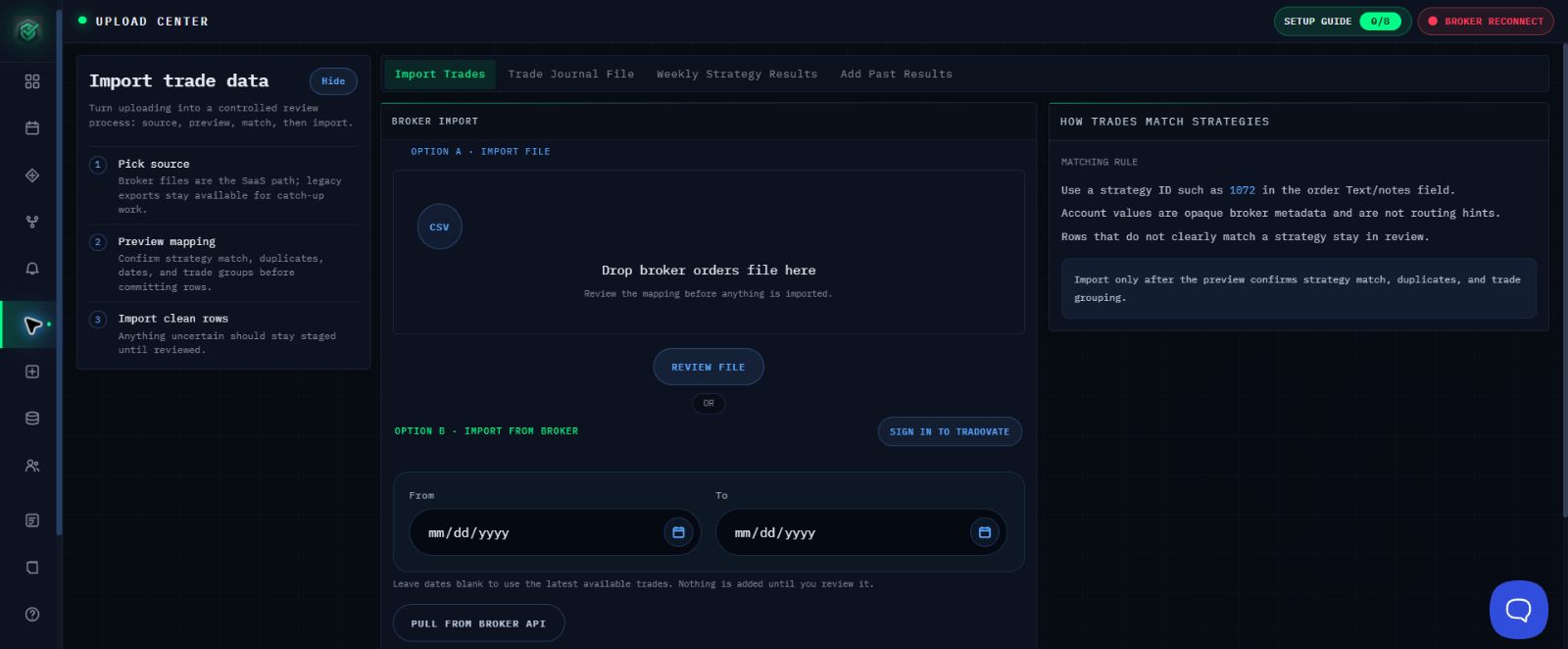
Use Option A in Import Trades to review a supported broker file before adding any trades to your AlgoLedger records.
Supported Files
Current file detection supports a Tradovate Orders CSV with a B/S or BS field and Tradovate Text signature, or a NinjaTrader Executions CSV with Action plus E/X, EX, or Position. Other broker CSV formats are not confirmed as supported.
Select the File
- Export completed trades from the intended account and keep the file unchanged.
- In AlgoLedger, open Import Trades.
- Under Option A - Import File, select the file.
- Confirm the displayed file name, then select REVIEW FILE once.
Review the Staged Trades
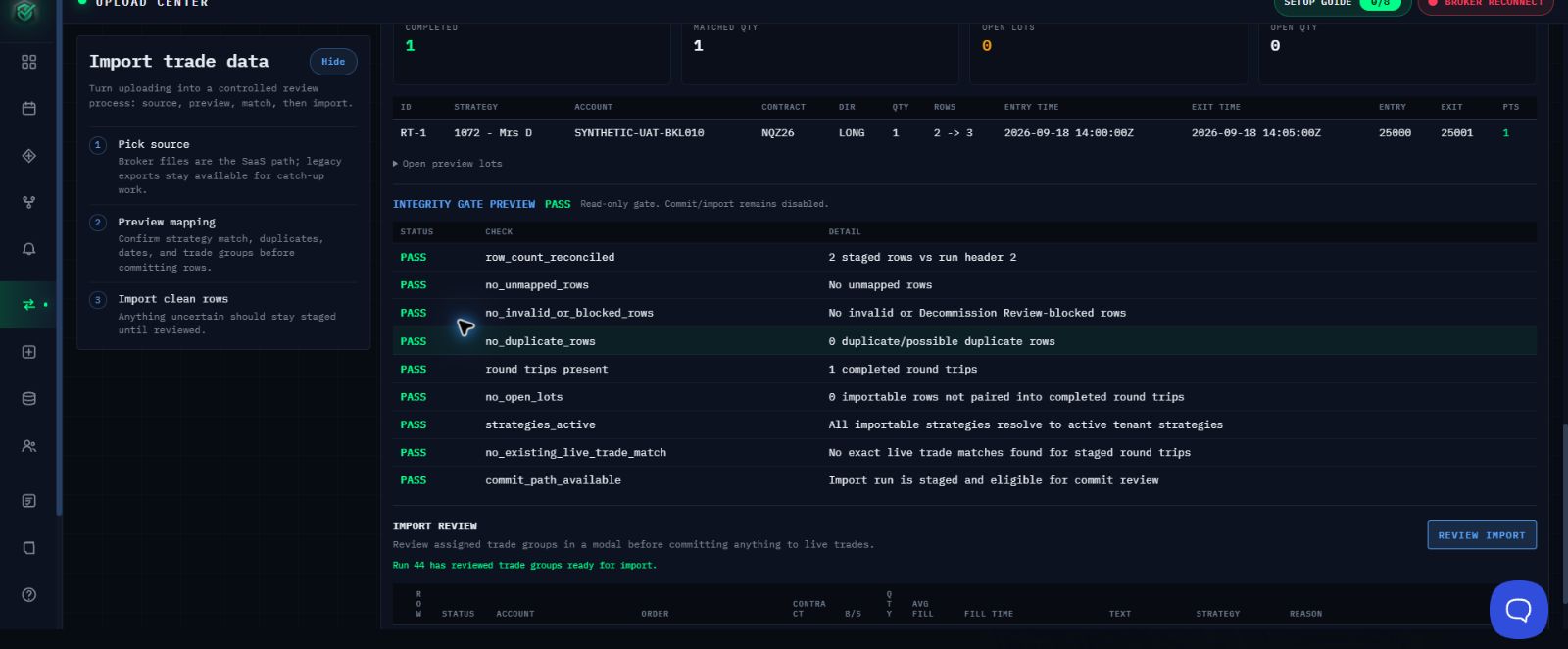
- Compare the staged preview with the source report.
- Check the source account, market, direction, quantity, dates, completed groups, duplicates, and unmatched or blocked rows.
- If a group does not look right, leave it staged so it is not added to your records.
- Use MARK DO NOT IMPORT for a group that must remain out of live records.
- Continue only when every visible integrity check passes and the expected completed-trade count is shown.
- Select REVIEW IMPORT and approve only verified groups.
Confirm Success
The import is complete only when the page shows COMMITTED with the expected trade count. Open the intended strategy and confirm the trades appear.

If Something Does Not Match
Stop before importing if the file is rejected, a trade is unmatched or duplicated, a group is incomplete, the destination is unclear, or an integrity check fails. Contact support@mail.algoledger.io with the source, safe file name, row count, and exact visible message. Support will review the details and tell you the safest next step. Do not email the CSV, credentials, account numbers, tokens, or authentication codes.
Continue
Review Check Trades Before You Import.