
Check Trades Before You Import
Use the staged preview to catch incorrect or incomplete trades before they are added to your AlgoLedger records.
Review the Preview
- Confirm the source account, report type, date range, and expected completed-trade count.
- Compare each staged group's market, direction, quantity, entry, exit, and result with the source report.
- Confirm the displayed strategy assignment is the intended destination.
- Review the status of each group: Ready, Needs Review, Do Not Import, Blocked, or Open Lots.
- Review every duplicate, unmatched, excluded, or blocked group instead of approving the import as a whole.
- Leave uncertain groups staged or use Mark Do Not Import.
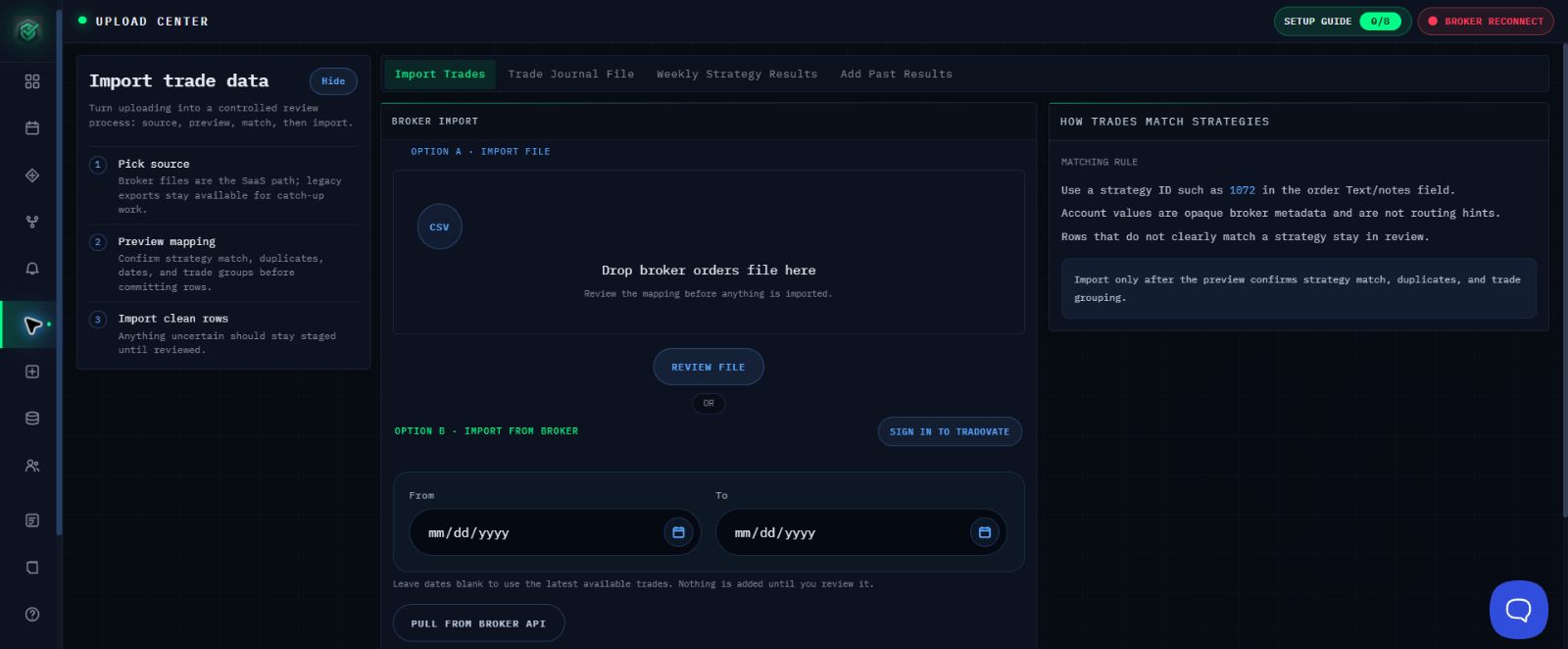
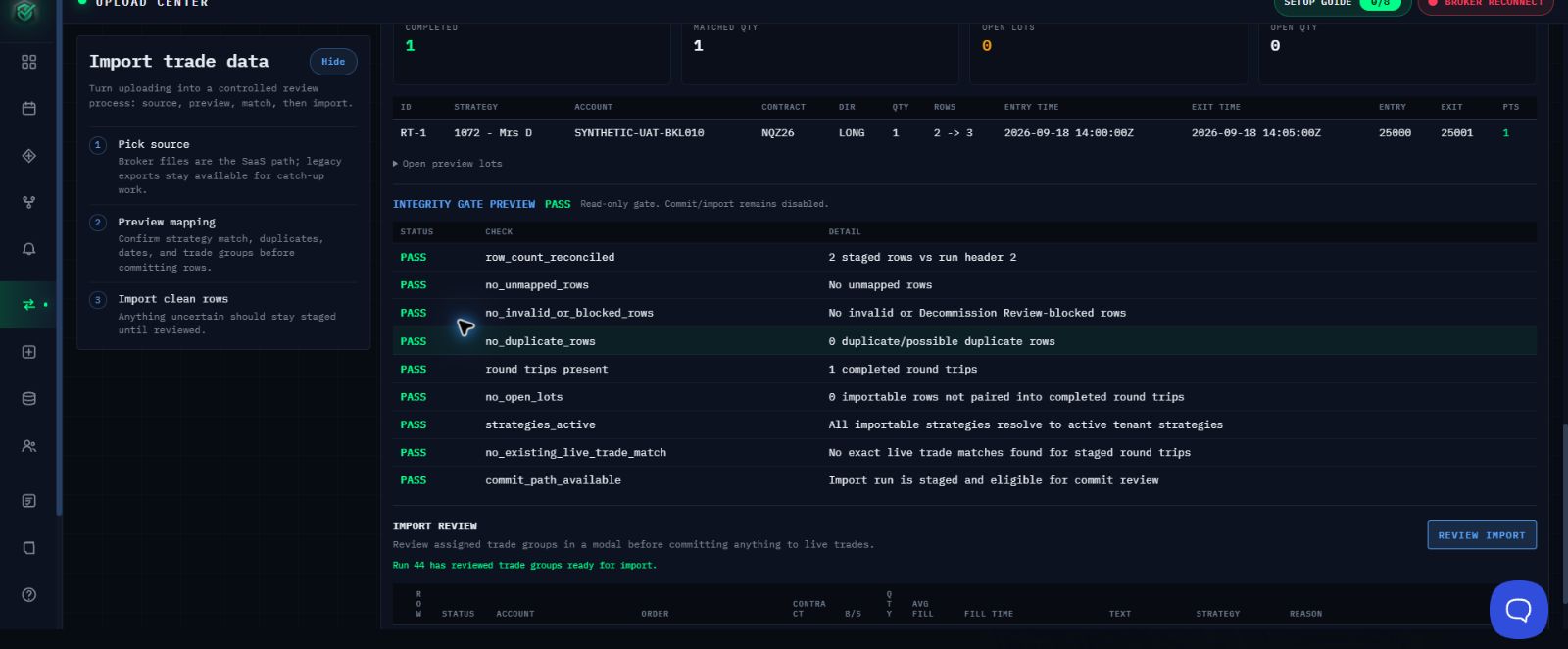
Stop or Continue
Select Review Import only when the source details, expected trade count, strategy destination, and every visible check are correct. If anything is unclear, leave the affected groups staged and use the guide that matches the problem.
Choose the Next Guide
- Tradovate connection: Prepare a Tradovate Trade Import
- Broker CSV: Prepare and Import a Broker CSV
- TraderSync: Import Trades from TraderSync
- Unmatched destination: Fix Missing or Unmatched Trades Before Importing
If the Preview Is Still Unclear
Contact support@mail.algoledger.io with safe identifiers and the exact visible message. Support will review the safe details and visible message, then help you choose the next step. Do not send credentials, authentication codes, or unredacted account details.